Tick Bars
Install and import#
npm install fintech-algorithmsimport { constructBars } from "fintech-algorithms/market-data-engineering/bar-construction/tick-bars";Signature#
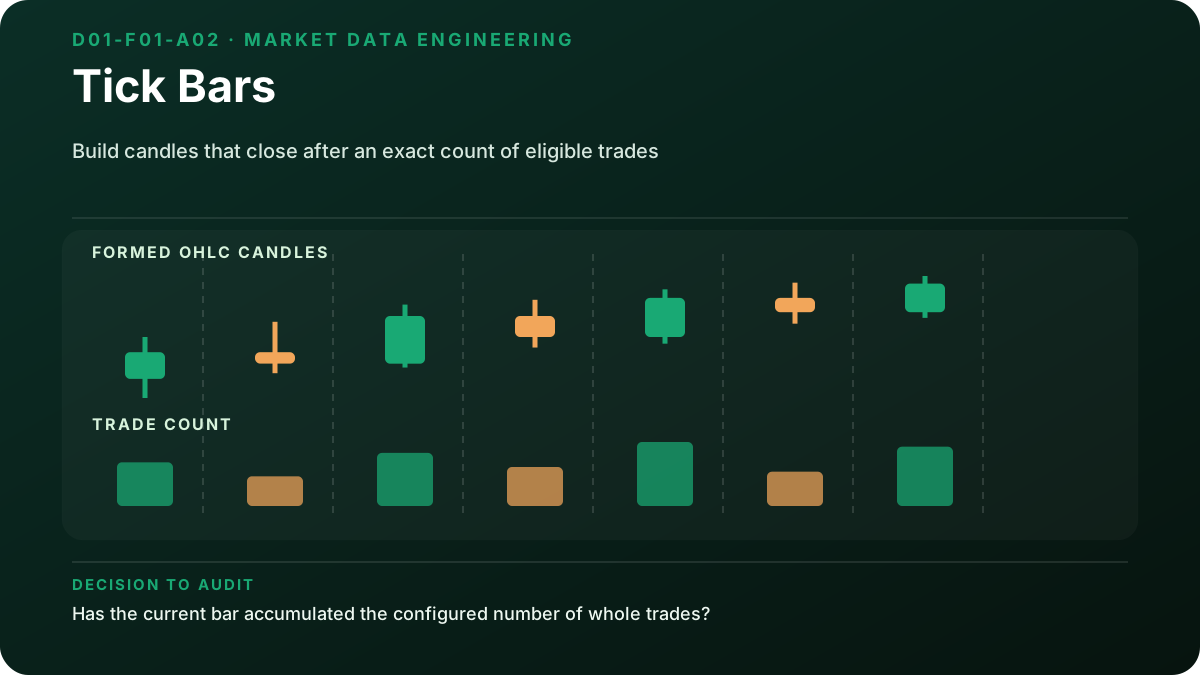
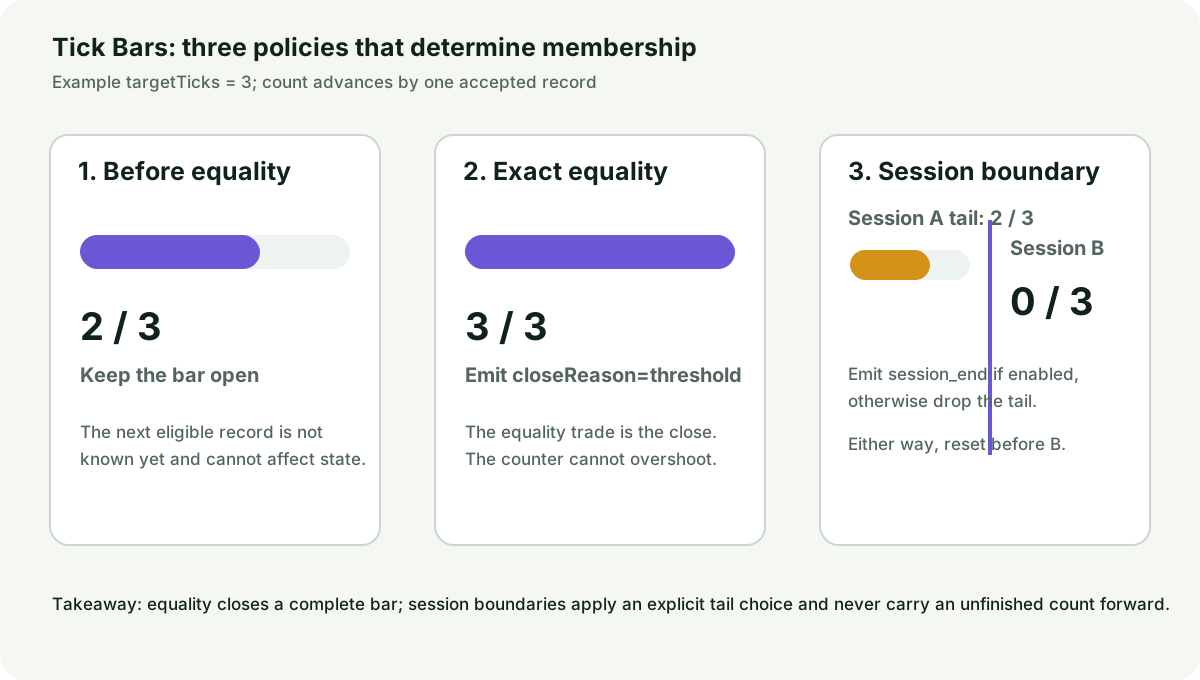
constructBars(trades, config)Closes a bar every N trades rather than every N seconds. Bars then arrive at the rate the market is transacting, so quiet periods produce fewer of them.
Parameters#
| Name | Type | Notes |
|---|---|---|
trades | Trade[] | The raw tape in chronological order. Each trade carries tradeId, timestamp, session, symbol, price, volume and currency. |
config | { targetTicks: number; closePartial?: boolean } | targetTicks is the trade count that closes a bar. closePartial decides whether a final short bar is emitted. |
Returns#
Bar[] · length fewer
One bar per completed group of targetTicks trades.
Errors#
- When targetTicks is not a positive integer — throws
Complexity: time O(n),
space O(bars).
Worked example#
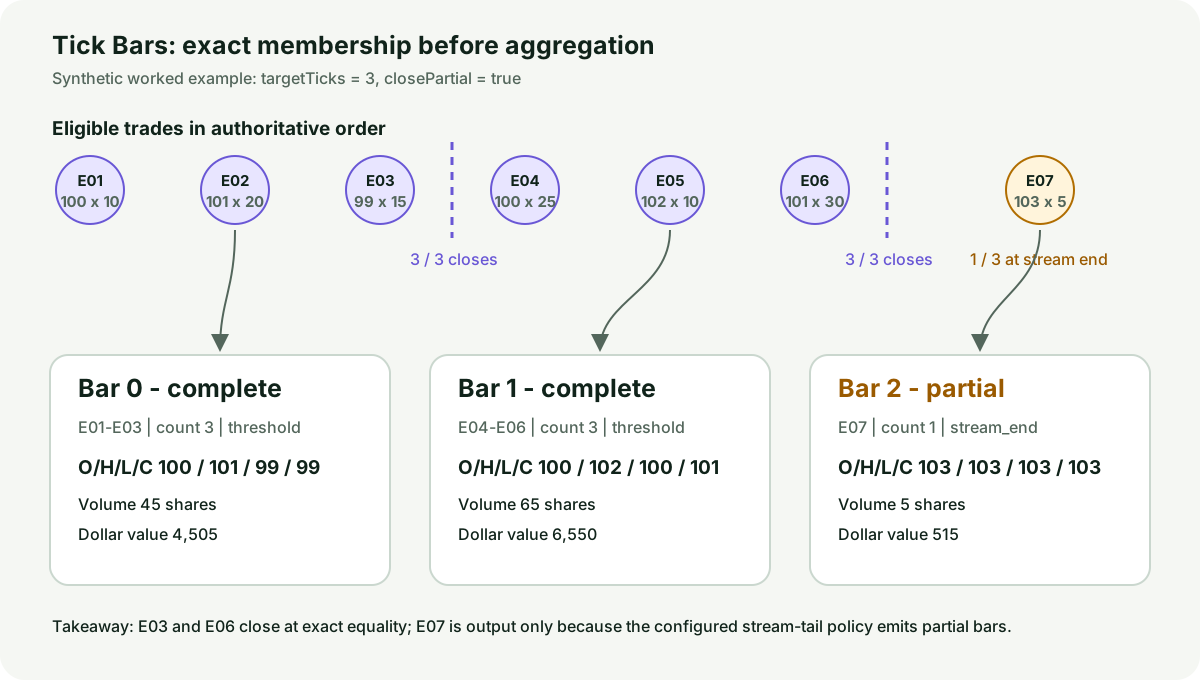
verified This is the worked example published in the article, replayed by the test suite on every run. The output cannot drift.
Input#
[
  {
    "tradeId": "E01",
    "timestamp": "2026-01-05T14:30:00.000Z",
    "session": "2026-01-05",
    "symbol": "SYNTH",
    "price": 100,
    "volume": 10,
    "currency": "USD"
  },
  {
    "tradeId": "E02",
    "timestamp": "2026-01-05T14:30:01.000Z",
    "session": "2026-01-05",
    "symbol": "SYNTH",
    "price": 101,
    "volume": 20,
    "currency": "USD"
  },
  {
    "tradeId": "E03",
    "timestamp": "2026-01-05T14:30:02.000Z",
    "session": "2026-01-05",
    "symbol": "SYNTH",
    "price": 99,
    "volume": 15,
    "currency": "USD"
  }
]
Showing 3 of 7 elements.
{
  "targetTicks": 3,
  "closePartial": true
}Call#
constructBars(trades, config)Returns#
array of 3 objects
[
  {
    "barIndex": 0,
    "session": "2026-01-05",
    "startTime": "2026-01-05T14:30:00.000Z",
    "endTime": "2026-01-05T14:30:02.000Z",
    "lastTradeTime": "2026-01-05T14:30:02.000Z",
    "open": 100,
    "high": 101,
    "low": 99,
    "close": 99,
    "volume": 45,
    "dollarValue": 4505,
    "tickCount": 3,
    "firstTradeId": "E01",
    "lastTradeId": "E03"
  },
  {
    "barIndex": 1,
    "session": "2026-01-05",
    "startTime": "2026-01-05T14:30:03.000Z",
    "endTime": "2026-01-05T14:30:05.000Z",
    "lastTradeTime": "2026-01-05T14:30:05.000Z",
    "open": 100,
    "high": 102,
    "low": 100,
    "close": 101,
    "volume": 65,
    "dollarValue": 6550,
    "tickCount": 3,
    "firstTradeId": "E04",
    "lastTradeId": "E06"
  },
  {
    "barIndex": 2,
    "session": "2026-01-05",
    "startTime": "2026-01-05T14:30:06.000Z",
    "endTime": "2026-01-05T14:30:06.000Z",
    "lastTradeTime": "2026-01-05T14:30:06.000Z",
    "open": 103,
    "high": 103,
    "low": 103,
    "close": 103,
    "volume": 5,
    "dollarValue": 515,
    "tickCount": 1,
    "firstTradeId": "E07",
    "lastTradeId": "E07"
  }
]Diagrams#
Calculation flow#
Causal construction flow — Tick Bars
flowchart TD
    A["Receive next trade in authoritative order"] --> B{"New session?"}
    B -->|Yes| C["Emit or discard partial tail"]
    C --> D["Reset current bar"]
    B -->|No| E["Keep current bar"]
    D --> F["Append the whole trade"]
    E --> F
    F --> G["Increment count by one"]
    G --> H{"Count equals targetTicks?"}
    H -->|No| A
    H -->|Yes| I["Emit threshold bar with lineage"]
    I --> J["Reset current bar"]
    J --> A
How it works#
This page states the contract — how to call it correctly. The article explains the concept: why it works, and where it breaks.
References#
- Advances in Financial Machine Learning, Chapter 1 manuscript — Marcos López de Prado
- NYSE Daily TAQ Client Specifications — New York Stock Exchange, an Intercontinental Exchange company
- Trade Reporting Frequently Asked Questions — Financial Industry Regulatory Authority
- MIDAS: Market Information Data Analytics System — U.S. Securities and Exchange Commission
- Evidence and data decision